Google Ads Keywords for Beginners: Match Types, Negative Keywords, and Search Intent
Picking Google Ads keywords for beginners usually gets treated as “type in some words related to your business.” In practice, the keyword itself is only half the setting — the match type attached to it controls how loosely or tightly Google interprets it. Get that wrong and a well-chosen keyword can still waste budget. Here’s how the pieces fit together.
Start with search intent, not a list of words
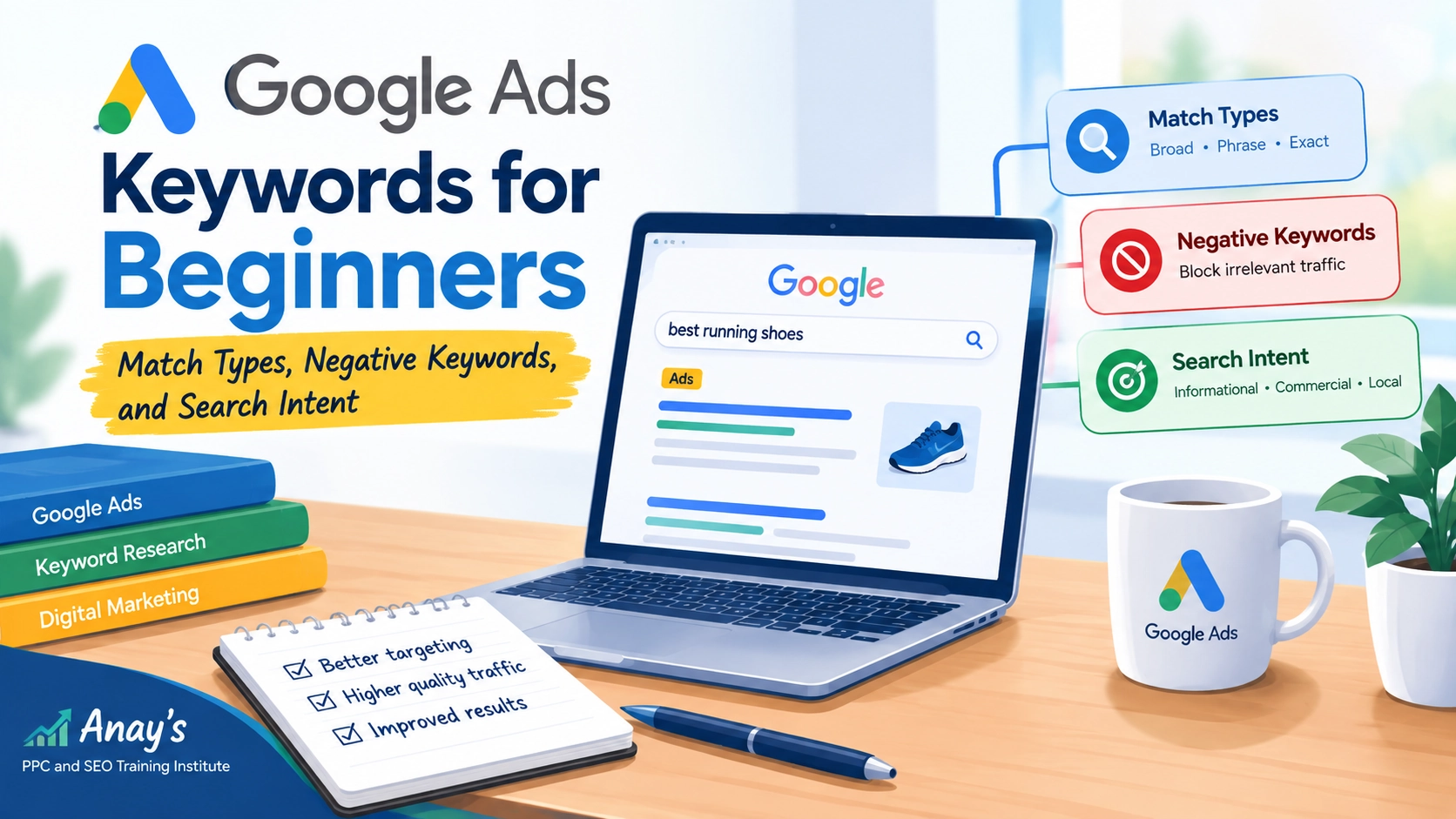
Before choosing keywords, it’s worth thinking about what someone typing a given phrase actually wants. Someone searching “what is on-page SEO” is researching. Someone searching “hire SEO consultant near me” is closer to ready to buy. Keywords aimed at research-stage searches and keywords aimed at buying-stage searches usually belong in different ad groups with different messaging, not lumped together.
The three positive match types
According to Google’s own Ads Help documentation on keyword matching, each match type controls how closely a search has to align with your keyword before your ad can be shown:
Broad match (the keyword written plainly, e.g. running shoes) is the widest — Google can show your ad for searches it judges related in meaning, even without the same words. It reaches the most people but with the least control, and generally needs solid conversion tracking and an actively maintained negative keyword list to avoid wasted spend.
Phrase match (in quotes, e.g. "running shoes") sits in the middle — your ad can show for searches that include the meaning of your phrase, with the core concept generally preserved, even if extra words are added before or after.
Exact match (in brackets, e.g. [running shoes]) is the tightest — it targets searches with the same meaning or intent as your keyword. It’s worth knowing that “exact” is looser than the name implies: Google’s system can still match close variants, so it isn’t a literal word-for-word restriction.
Match type behavior has genuinely evolved over the past few years and continues to be refined, so treat the specifics above as a starting framework and confirm current behavior against Google’s own documentation before finalizing a campaign — this is exactly the kind of detail that’s worth double-checking rather than assuming.
Negative keywords: the other half of the job
Negative keywords stop your ad from showing for specific searches. If you sell running shoes but not shoe repair, adding “repair” as a negative keyword keeps that budget from being wasted on the wrong intent. Negative keywords also have their own match types (broad, phrase, exact), and — importantly — they don’t automatically catch close variants, plurals, or synonyms the way positive keywords now can. That means a negative keyword list needs periodic review against your actual search terms report, not a one-time setup.
If you’re learning these concepts and want to see keyword strategy worked through in a structured setting, Live Online Google Ads Training covers keyword selection, search intent, match types, and negative keywords in a practical way.
What are negative keywords, in one line
A negative keyword is a term you tell Google not to trigger your ad for — the opposite job of a regular keyword.
What is the difference between broad, phrase and exact match?
Broad reaches the widest, loosest set of related searches with the least control. Phrase keeps your ad anchored to the core meaning of the phrase while allowing more surrounding words. Exact is the tightest of the three but still allows for close variants rather than a literal word-for-word match.
How to choose keywords for a first campaign
For a beginner account with limited conversion history, a common, cautious starting approach is to lean more on phrase and exact match for your core, highest-intent terms — the searches closest to someone ready to act — while keeping broad match limited and paired with a maintained negative keyword list. This isn’t a rule Google enforces, just a reasonable way to keep early spend under control while you’re still learning what converts. As you gather real conversion data, you’ll be in a better position to judge whether opening up to broader match types makes sense for your account specifically.
What this article doesn’t cover
Bid strategy, budget setting, and landing page requirements are each worth their own dedicated look before you actually launch a campaign.
When to bring in outside help
If you’ve set up match types and negatives and you’re still seeing irrelevant search terms burning budget, or you’re not confident reading the search terms report, that’s a reasonable point to get a second opinion rather than letting spend run unchecked.
If you’d like structured, hands-on guidance rather than piecing this together from articles, our Live Online Google Ads Training walks through keyword strategy on real campaigns.
If you have questions about the training or want to discuss your learning requirements, you can Contact Us to get in touch.
Frequently Asked Questions
What are negative keywords?
What is the difference between broad, phrase, and exact match?
How should beginners choose Google Ads keywords?
Note on data: match type behavior is an area Google actively updates, and third-party sources don’t always agree on the exact current specifics. Reconfirm details against Google’s own Ads Help documentation before setting up a live campaign.